
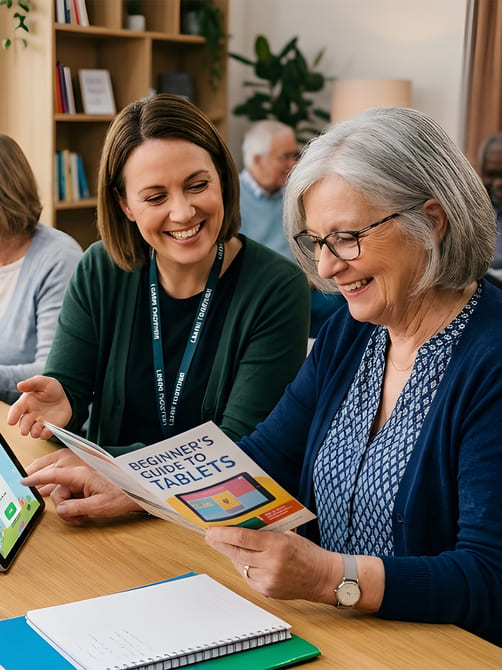
Digital Resources for Continued Learning
Comprehensive guides and practical materials designed to help you revisit, practise, and reinforce your digital skills whenever you need them. Our resources allow you to continue learning at your own pace, building confidence with everyday technology such as smartphones, computers, and online services.
Digital Resources
Continue Your Digital Learning
Our resources make it easy to revisit skills, refresh knowledge, and gain confidence at your own pace

Practical Resources for Everyone
Learning doesn't stop when a workshop or session ends. To help you retain what you've learned and continue practising independently, we provide clear guides, step-by-step instructions, and easy-to-follow reference materials for every topic covered in our sessions.
These resources are designed for anyone who wants to refresh their knowledge, revisit skills they may have forgotten, or explore topics in more detail. They also provide a helpful way to build confidence gradually over time without feeling rushed or overwhelmed.
Whether you're revisiting smartphone basics, learning how to use online services, or strengthening your understanding of online safety, our resources make it easy to continue learning in a calm, stress-free, and supportive way.
Our guides are written in clear, straightforward language and designed to support beginners as well as those who simply want a refresher. Each resource focuses on practical, everyday tasks so you can apply what you learn immediately.
With our digital resources, you can:
- Follow step-by-step guides for every skill
- Revisit lessons whenever you need a refresher
- Practise independently at your own pace
- Build long-term confidence using technology
Our goal is to ensure learning continues beyond the session, helping everyone stay confident, safe, and capable online.
Topics Covered in Our Resources
Guides and materials for practical, everyday digital skills
Each resource is designed to be easy to follow, with clear explanations, practical examples, and simple step-by-step instructions. They help reinforce what you learn during workshops or one-to-one sessions, while also giving you the confidence to practise and develop new digital skills at your own pace.
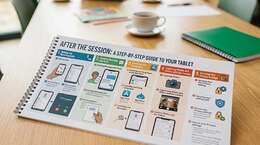
Smartphone & Tablet Guides
Step-by-step guides covering everyday tasks such as making calls, sending messages, installing apps, using the camera, and adjusting privacy settings. Perfect for practising what you’ve learned and becoming more confident with your device.
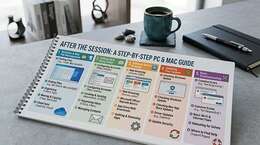
Computer & Laptop Guides
Clear and practical instructions for both Windows PCs and Apple Macs, including organising files and folders, setting up email, installing software, running updates, and solving common everyday computer problems.
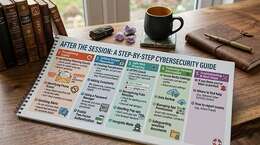
Online Safety & Security
Practical advice to help you stay safe online, including recognising scam emails and fake websites, creating strong passwords, browsing securely, and protecting your personal information.
Using Online Services
Helpful guides explaining how to use everyday online services such as finding NHS information, online shopping, basic online banking, and staying connected with family through video calls.
Our Approach to Digital Learning
Practical Guides for Confidence & Independence

Support That Lasts Beyond the Session
We create resources that complement our workshops and one-to-one sessions, ensuring that learning continues long after the session has finished. These materials help reinforce important skills, provide reminders of key steps, and give learners the confidence to practise independently.
-
Clear, Step-by-Step Guides
Easy-to-follow instructions covering all topics taught in sessions, so you can practise independently.
-
Reinforce Your Learning
Revisit key concepts and practise skills whenever you need a refresher.
-
Practical Tips & Examples
Resources include real-life examples and tips to make digital tasks simple and approachable.
-
Ongoing Support
Optional follow-up sessions and guidance to help you stay confident and safe online.
With our digital resources, learning continues far beyond the classroom or workshop environment. Our goal is to help everyone feel confident, capable, and safe using technology in their everyday lives, whether that means staying connected with family, accessing important services, or exploring new digital opportunities
Resources & Support
Clear, practical tools to help you learn and apply new skills
Step-by-Step Guides
Practical reference guides for every topic, from smartphones to online safety.
Printable Materials
PDFs and printed handouts for easy offline reference and practice.
Illustrated Examples
Visual examples to make steps easier to follow and remember.
Ongoing Guidance
Follow-up advice and optional support sessions to reinforce learning.
F.A.Q
Common Questions About Our Digital Resources
What are digital learning resources?
Digital learning resources are guides, tutorials, and reference materials designed to help people learn technology skills at their own pace. These resources reinforce the skills taught in workshops and one-to-one sessions.
Who are these resources designed for?
Our digital resources are designed for beginners, older adults, and anyone who wants to improve their digital skills. They are written in clear language and focus on practical everyday tasks.
What topics do the resources cover?
The resources cover topics such as using smartphones and tablets, computer basics, email and messaging, online safety, recognising scams, managing passwords, and using everyday online services.
Are the resources suitable for beginners?
Yes. All resources are designed with beginners in mind. They provide simple step-by-step instructions and explanations that make technology easier to understand.
Are the resources available as printable guides?
Many resources are available as printable guides or downloadable PDFs, making it easy to follow instructions offline or keep them for future reference.
Can these resources help reinforce what I learned in a session?
Yes. Our resources are designed to support the learning from workshops and one-to-one sessions by providing reminders, examples, and instructions you can revisit whenever needed.
Do the resources include online safety guidance?
Yes. Online safety is a key part of our materials. Guides explain how to recognise scams, protect personal information, create strong passwords, and browse safely.
Can I request specific learning materials?
Yes. If there is a particular topic you would like help with, you can request resources related to that subject and we will provide guidance where possible.
Do I need to attend a workshop to use these resources?
No. While the resources complement our workshops and sessions, they can also be used independently by anyone who wants to learn or improve their digital skills.
How can I access the digital resources?
You can request access to resources through the Culm Forge Media website or during a workshop or session. We will guide you to the materials that best suit your learning needs.