
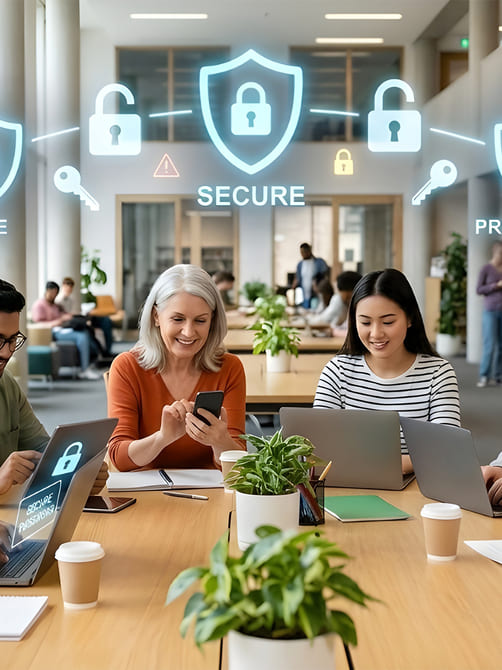
Online Safety Guidance for All Users
Practical advice to help individuals, families, and organisations stay secure online, recognise common scams, and build confidence using technology safely.
From emails to websites, social media to online banking, simple habits can prevent serious problems.
Online Safety Guidance
Feeling Unsure Online?
Scams, phishing messages, and suspicious websites can be confusing — here's how to stay confident and secure

Making Technology Simple and Stress-Free
The internet is full of convenience — but it can also expose people to scams, phishing attempts, and fraud. Even careful users can be unsure about what to trust online.
Scammers constantly use emails, text messages, phone calls, and fake websites to trick people. Fraud can be subtle, making a convincing email look real or impersonating a trusted organisation. Many people feel embarrassed or confused when faced with suspicious messages — and sometimes they don't know where to turn for advice.
We help people recognise common tactics used by scammers, learn practical ways to protect themselves, and gain confidence navigating technology safely. Our guidance is friendly, practical, and suitable for all ages and experience levels.
With Online Safety Guidance, you'll:
- Recognise common scams and phishing attempts
- Protect your accounts and devices
- Ask questions and practice safe online habits
- Build lasting confidence in navigating the digital world
Staying safe online doesn't have to feel intimidating. With practical guidance and friendly support, it becomes something you control.
Quick Online Safety Tips
Simple, practical habits that protect you and your family online
In our sessions, we focus on real-life skills that make technology feel simpler and less intimidating. Everything is explained clearly, at your pace, with plenty of time to ask questions. By the end, you won't just know what to press — you'll understand why you're doing it.

Be Cautious with Emails & Messages
Never click unexpected links or attachments. Scammers often pretend to be banks, delivery services, or trusted organisations. A single click can install malware or steal personal information — pausing and thinking first keeps you safe.
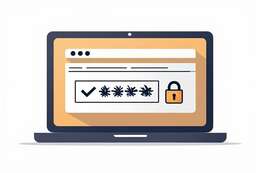
Use Strong, Unique Passwords
A strong password protects your accounts from hackers. Avoid using the same password on multiple sites and consider using a password manager to keep them secure. Two-factor authentication adds an extra layer of safety.

Handle Phone & Voice Scams
Phone scams often involve criminals pretending to be from banks, internet providers, government agencies, or technical support companies. These calls may pressure victims into sharing passwords, transferring money, or installing remote access software. We explain how these scams work, the warning signs to watch for, and how to safely respond if you receive a suspicious call.
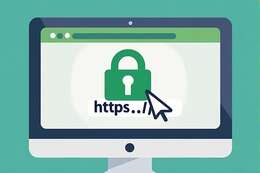
Check Website URLs Carefully
Fake websites can look convincing. Always check the URL for “https” and correct spelling. Hover over links to see where they lead before clicking, especially if prompted to enter personal or payment details.

Pause and Think Before Acting
Scammers rely on urgency. Taking a moment to pause and verify requests, messages, or emails can prevent mistakes and protect your data.

Ask Someone You Trust
If unsure about a message, website, or request, consult a trusted friend, family member, or professional. Sometimes a fresh pair of eyes can spot potential scams quickly.
Our Approach to Staying Safe Online
Practical guidance and confidence-building for all users

Practical Support to Stay Safe Online
[ 'Our approach combines practical tips, hands-on exercises, and real-life examples. We focus on small, easy-to-follow steps that build confidence without overwhelming users. Everyone progresses at their own pace, asking questions freely in a supportive environment.', 'Whether it's understanding how phishing works, spotting suspicious links, or securing devices and accounts, we make online safety practical and approachable.' ]
-
Understanding Your Needs
We assess your online habits and focus guidance where it will have the most impact.
-
Protecting Against Scams
Learn practical ways to spot phishing, scams, and fraudulent activity.
-
Friendly Support
Step-by-step guidance on devices, apps, and accounts whenever you need it.
-
Confidence for the Long Term
Ongoing tips and follow-ups so you feel empowered to navigate the digital world safely.
Everyone deserves to feel safe online. Our approach combines personalised guidance, practical tips, and continuous support.
Digital Safety Skills
Learn to recognise risks, secure your accounts, and protect your family online
Recognise Common Scams
Practical examples of phishing, fake messages, and online fraud so you can spot threats early.
"Learn to identify suspicious patterns before they become a problem, keeping your personal and financial information safe."
Secure Your Accounts
Strong passwords, two-factor authentication, and simple security habits to protect your devices.
"Reduce the risk of account compromise and enjoy peace of mind knowing your online presence is protected."
Safe Browsing
Learn how to check websites, avoid unsafe links, and navigate the internet confidently.
"Browse, shop, and communicate online without fear, making digital life smoother and stress-free."
Family & Community Guidance
Support for families, carers, and community members to stay secure together online.
"Empower everyone around you with simple, shared habits that prevent scams and keep devices safe."
F.A.Q
Common Questions About Our Online Safety Guidance
What is online safety?
Online safety refers to the habits and precautions people take to protect themselves when using the internet, including recognising scams, protecting personal information, and securing digital accounts.
Why is online safety important?
The internet is used for banking, communication, shopping, and accessing services. Understanding online safety helps prevent fraud, identity theft, and privacy breaches.
What are common online safety risks?
Common risks include phishing emails, fake websites, scam phone calls, malware downloads, weak passwords, and sharing too much personal information online.
How can I improve my online safety?
Use strong passwords, enable two-factor authentication, avoid suspicious links, keep software updated, and verify unexpected messages before responding.
Can families learn online safety together?
Yes. Online safety guidance is especially useful for families so everyone understands safe digital habits and can protect vulnerable members.
How do I recognise phishing emails?
Phishing emails often create urgency, ask for personal information, or contain suspicious links. Checking the sender address and verifying the message with the organisation directly can help identify scams.
Is online banking safe?
Online banking can be safe when using strong passwords, secure devices, and official banking apps or websites. Avoid accessing financial accounts from unknown links or public computers.
Can you help check suspicious emails or messages?
Yes. Sessions can include reviewing suspicious emails, texts, or websites together to explain how to recognise warning signs and verify legitimacy.
Is online safety training suitable for beginners?
Absolutely. Online safety sessions are designed for all experience levels and focus on clear, practical advice rather than technical jargon.
How can I book online safety guidance?
You can book a session through the Culm Forge Media website to receive personalised guidance and practical advice on staying safe online.